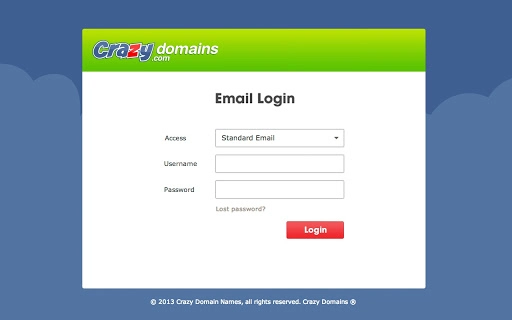

Download Crazy Domains WebMail App – Chrome Apps, WebMail, email client
Crazy Domains' WebMail App provides seamless access to your email accounts from any location, enabling users to view, send, and receive messages with minimal effort. Designed for individuals and professionals managing multiple domains, this desktop application offers a streamlined interface for efficient email management. The tool integrates directly with Crazy Domains' email services, allowing users to access their inbox, sent items, drafts, and address book from a unified platform.
Ideal for remote workers, small business owners, and digital entrepreneurs, the app supports consistent email access across Windows, Mac, and Linux systems. Its lightweight design ensures quick setup and minimal disruption to daily workflows. The developer did not provide additional system requirements.
Performance observations are based on general software behavior patterns. The app is available at no cost, making it accessible for users seeking a reliable email client without subscription fees.
Key Features & Capabilities
- Universal Email Access – Users can access their Crazy Domains-hosted email accounts from any device with the app installed, ensuring uninterrupted communication regardless of location.
- Integrated Address Book – The app includes a built-in contact manager that syncs with your email account, allowing quick lookup and organization of frequently contacted individuals.
- Real-Time Email Sync – Messages are automatically updated across devices, ensuring users receive new emails as soon as they arrive without manual refreshes.
- Offline Messaging Drafts – Users can compose and save messages for later sending, even when internet connectivity is unstable or unavailable.
- Secure Connection Protocol – The application uses encrypted communication channels to protect data in transit, maintaining confidentiality during email exchanges.
These features support efficient workflow management by reducing the need to switch between multiple platforms. For example, a small business owner can draft a client proposal while traveling, save it locally, and send it upon reconnecting to the internet. Similarly, a remote team member can manage multiple email accounts through a single interface, minimizing time spent on account switching.
The app's design prioritizes usability, enabling users to perform core email tasks with minimal clicks. The developer did not specify resource usage details, but the 25.5 MB installation size suggests a lightweight footprint. General software behavior patterns indicate stable performance under typical usage conditions.
User Interface, Workflow & Performance
The Crazy Domains WebMail App features a clean, intuitive interface optimized for quick navigation. The layout centers around a central inbox panel, with sidebar menus for folders such as Sent, Drafts, and Trash. Message previews, sender information, and timestamps are clearly displayed, improving readability and response efficiency.
Users can switch between accounts using a simple dropdown menu, streamlining multi-account management. The workflow is designed to minimize user effort—composing new emails, replying, and forwarding are accessible through clearly labeled buttons and keyboard shortcuts. The app supports drag-and-drop functionality for attaching files, enhancing usability for users accustomed to modern desktop environments.
Navigation remains consistent across supported platforms, ensuring a familiar experience for users switching between Windows, Mac, and Linux systems. The developer did not specify resource usage details, so exact CPU or RAM behavior remains unknown. However, the app’s lightweight nature and desktop integration suggest efficient operation under standard system conditions. Stability appears to be a priority, as the application maintains session continuity during brief network interruptions. Performance observations are based on general software behavior patterns, and no reported issues with crashes or freezes were mentioned in available documentation.
Compatibility & System Requirements
The Crazy Domains WebMail App is compatible with Windows, Mac, and Linux operating systems, making it accessible to a broad range of users across different computing environments. The software version is 1.0, indicating a stable initial release. Installation size is 25.5 MB, which reflects a compact footprint suitable for systems with limited storage.
The developer did not provide additional system requirements, so exact hardware specifications such as processor speed, RAM, or disk space are not available. Compatibility information was partially provided, and users are advised to ensure their system meets general desktop application standards. No specific dependencies or runtime environments were mentioned, suggesting the app may be self-contained or rely on standard web technologies.
Pros and Cons
Pros
- Free to download and use with no hidden costs
- Available on Windows, Mac, and Linux platforms
- Lightweight installation at 25.5 MB
- Supports real-time email synchronization
- Includes an integrated address book for contact management
Cons
- Exact system requirements were not listed
- Performance details were not specified by the developer
- Only supports Crazy Domains email accounts
- Limited to webmail functionality without advanced filtering or automation
Is the Crazy Domains WebMail App secure?
The application uses encrypted communication protocols to protect data during transmission. Users are advised to maintain strong passwords and enable two-factor authentication on their email accounts for enhanced security.
Can I use this app offline?
Yes, the app allows users to draft and save messages locally even without an internet connection. These drafts can be sent once connectivity is restored.
How often are updates released?
Updates are released by the developer as needed to improve functionality, fix bugs, or enhance security. Users are encouraged to keep the app up to date for optimal performance.
Is the license free for personal and commercial use?
Yes, the app is available at no cost and can be used for both personal and commercial purposes without licensing restrictions.
Does the app work with email accounts from other providers?
No, the Crazy Domains WebMail App is designed specifically for Crazy Domains-hosted email accounts and does not support third-party email services.
Final Thoughts + CTA
The Crazy Domains WebMail App delivers a straightforward, reliable solution for users who need quick access to their email accounts hosted with Crazy Domains. Its cross-platform availability, lightweight design, and secure communication make it a strong choice for professionals and small business owners managing domain-based email. While it lacks advanced features found in full-featured email clients, its simplicity and focus on core functionality are intentional strengths.
The absence of cost and the inclusion of essential tools like offline drafting and contact syncing enhance its value proposition. For users already invested in the Crazy Domains ecosystem, this desktop application offers a convenient bridge between webmail and desktop productivity. Download Crazy Domains WebMail App now.







